Your site search box is a buyer survey you're not reading
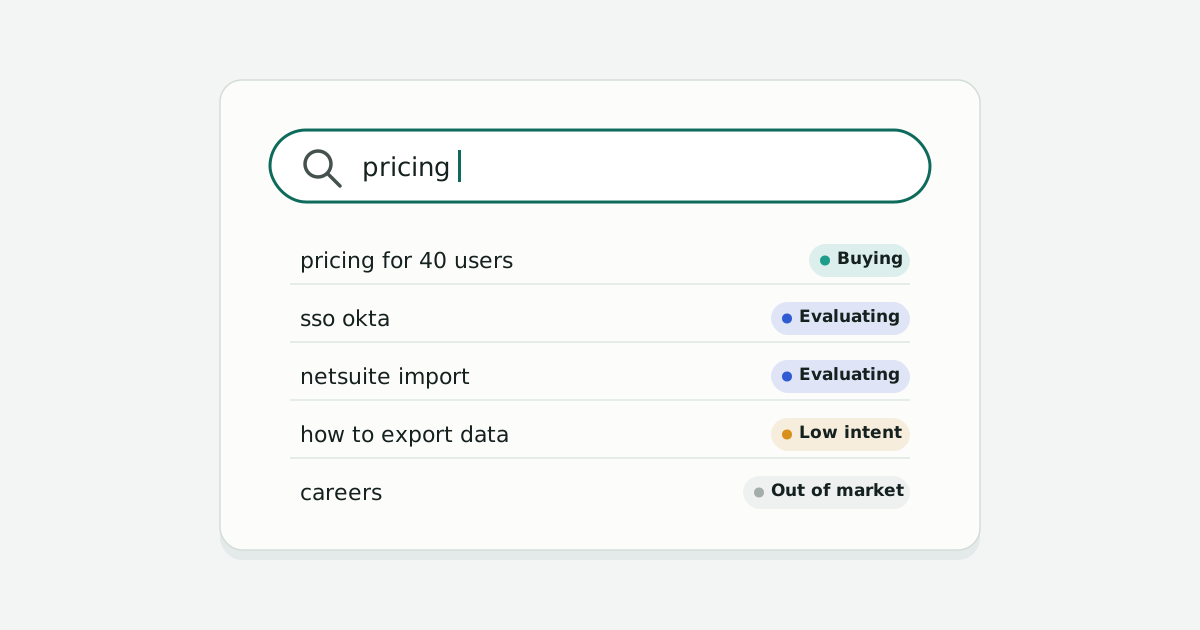
Every day, people type exactly what they want into the search box on your site. Most teams never look at it, or look once a quarter at a list of top terms and move on.
I ran a landing page testing program at a previous company for most of a year, across paid search and organic traffic. The single most consistent lesson was about that search box.
What the tests kept saying
- Buyers search first. When we looked at visitors from paid search, more than half searched on the site before they bought. Search wasn't a side feature. It was how people decided.
- People who search convert better. Usability testing and the analytics agreed: a visitor who searched was more likely to buy than one who didn't.
- Making search prominent helped. Moving search into the top of the landing page, above the plan options, lifted search engagement, and that test won.
- Showing real results helped more. Putting actual results on the landing page, pulled live from the product, was a clear conversion winner. A hand-picked set of examples, tried earlier, wasn't compelling.
Put together: the visitors most likely to buy were telling us what they wanted, in their own words, before they bought. We were only half listening.
Why site search is different from Google searches
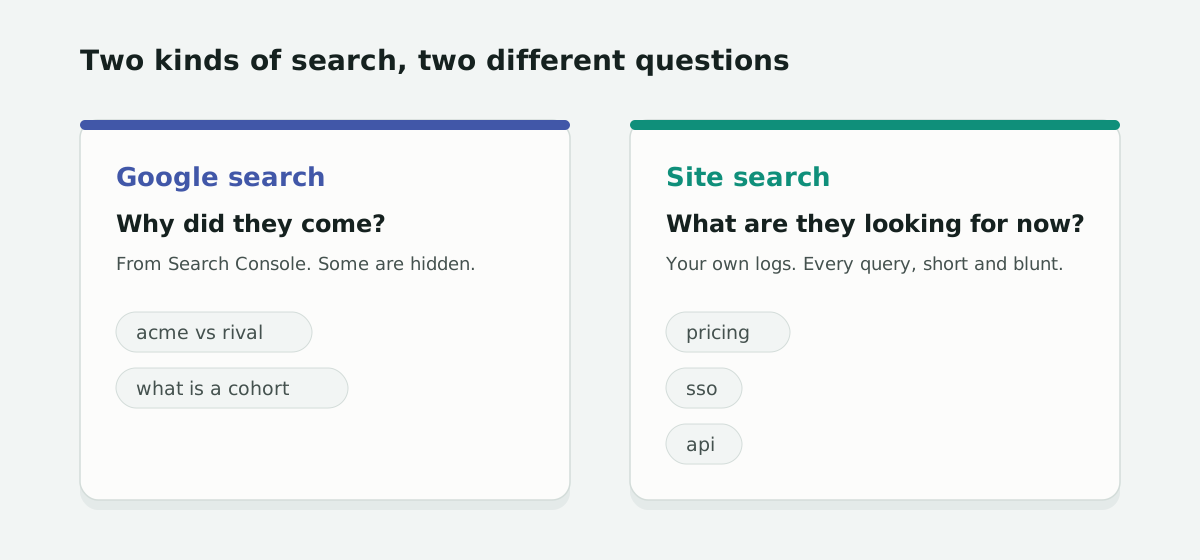
A Google search tells you why someone came. A site search tells you what they're looking for now that they're here. It's often closer to the decision, and it's shorter and blunter: "sso", "pricing", "api", "netsuite". People don't write for an algorithm in your search box. They write for themselves.
That makes it one of the best signals of buying intent you own, and unlike Google data, you see every query.
How to start reading it
- Make sure it's tracked. In GA4, enhanced measurement records site searches when the search term appears in the page address (common names like
q,s, orsearch). If your search uses a different parameter, add it, or send the search as an event yourself. Tools like Algolia and Coveo keep their own logs too. - Pull a week at a time. Export the search terms with counts. A week is enough to see patterns and short enough to do every week.
- Sort them by intent, not by topic. "Pricing", "plans", a competitor's name, or a "vs" are buying signals. Features, integrations, and security questions are evaluating. How-to and definitions are learning. Logins and job searches are noise. A topic list tells you what people talk about; an intent split tells you how many are close to buying.
- Watch where the searches happen. Buying searches on a pricing page mean the page didn't answer something. Evaluating searches on a blog post mean a reader is turning into a prospect.
- Track the share over time. One week's list is interesting. The share of buying and evaluating searches, week after week, is something you can report and act on.
The bigger point
Site search is one of several places people tell you what they want: the Google searches that bring them, the search box once they arrive, the chat window, the message on your contact form. Each tool shows its own slice and none of them use the same scale. Read together, they're the clearest view of demand you have.
Questions
How do I track site search in GA4?
Turn on enhanced measurement and its site search option. GA4 records a search when the search term appears in the page address under a common parameter such as q, s, or search. Add your own parameter name if your site uses a different one, or send the search as an event.
How is site search data different from Google Search Console data?
Search Console shows the searches that brought people to your site, and hides some low-volume queries. Site search shows what people look for once they're on your site, and you see every query.
How often should I review site search terms?
Weekly. A week of searches is enough to see patterns, and a weekly habit lets you track the share of buying and evaluating searches over time.
What do site searches on a pricing page mean?
Usually that the page didn't answer something a buyer needed. They're worth reading closely, because those visitors were close to a decision.